MOTHER BOARDS AND HDD SECRETS
A beginners guide to motherboards
We all know that a motherboard is a vital part of every PC. But why?
What exactly is it, and what does it do? The more you know about
computer components, the better your position as a user, which is where
this article strives to help you.
What is a motherboard?
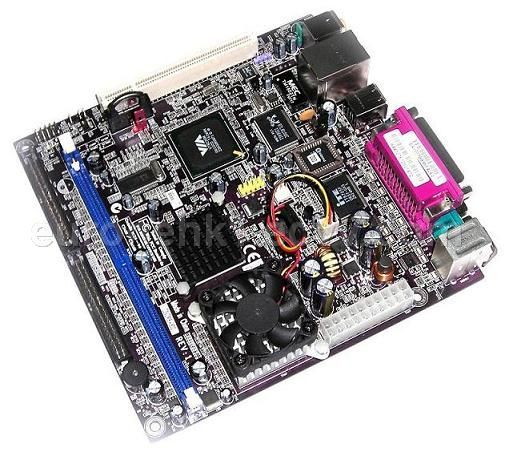
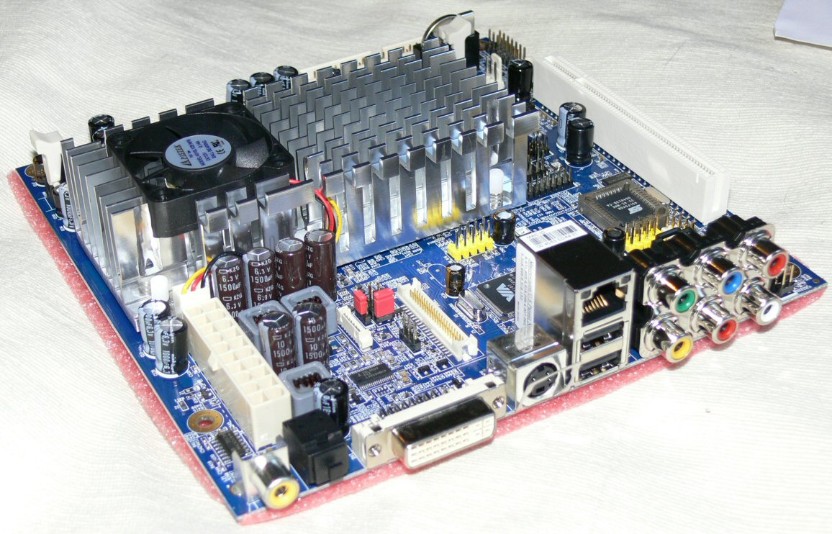
A motherboard is also known as a main board, system board and logic
board. A common abbreviation is ‘mobo'. They can be found in a variety
of electrical devices, ranging from a TV to a computer. Generally, they
will be referred to as a motherboard or a main board when associated
with a complex device such as a computer, which is what we shall look
at. Put simply, it is the central circuit board of your computer. All
other components and peripherals plug into it, and the job of the
motherboard is to relay information between them all. Despite the fact
that a better motherboard will not add to the speed of your PC, it is
none-the-less important to have one that is both stable and reliable, as
its role is vital.
A motherboard houses the BIOS (Basic Input/Output System), which is the
simple software run by a computer when initially turned on. Other
components attach directly to it, such as the memory, CPU (Central
Processing Unit), graphics card, sound card, hard-drive, disk drives,
along with various external ports and peripherals.
What is the difference between motherboards?
There are a lot of motherboards on the market to choose from. The big
question is, how do you go about choosing which one is right for you?
Different motherboards support different components, and so it is vital
you make a number of decisions concerning general system specifications
before you can pick the right motherboard.
If you purchase your case before the rest of the components, the first
factor to think about concerning motherboards is the size, or form
factor. A form factor is a standardised motherboard size. If you think
about fitting a motherboard in a case, there are a number of mounting
holes, slot locations and PSU connectors. The most popular motherboard
form factor today is ATX, which evolved from it's predecessor, the Baby
AT, a smaller version of the AT (Advanced Technology) form factor.
Generally speaking, nowadays a standard computer will have an ATX form
factor motherboard: only special cases require different form factors
however,
Hard disk drive
- Enterprise disk drive redirects here.
Hard disk drive
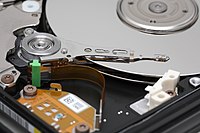
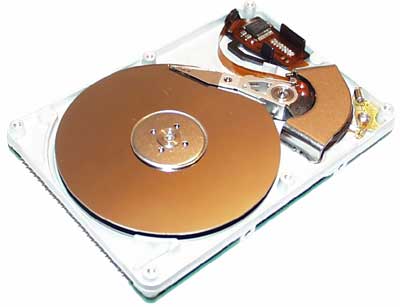
Interior of a hard disk drive |
| Date invented |
December 24, 1954[1] |
| Invented by |
An IBM team led by Rey Johnson |
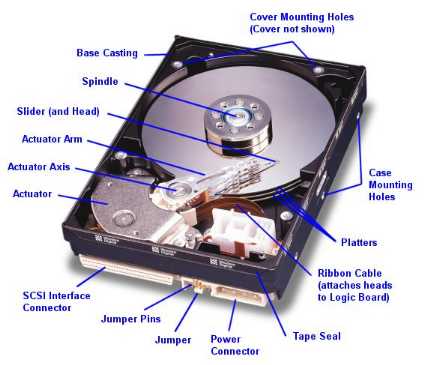
A hard disk drive[2] (HDD) is a non-volatile, random access device for digital data. It features rotating rigid platters on a motor-driven spindle within a protective enclosure. Data is magnetically read from and written to the platter by read/write heads that float on a film of air above the platters.
Introduced by IBM in 1956, hard disk drives have fallen in cost and
physical size over the years while dramatically increasing in capacity.
Hard disk drives have been the dominant device for
secondary storage of data in
general purpose computers since the early 1960s.
[3]
They have maintained this position because advances in their areal
recording density have kept pace with the requirements for secondary
storage.
[3] Today's HDDs operate on high-speed serial interfaces; i.e.,
serial ATA (SATA) or
serial attached SCSI (SAS)
however,